

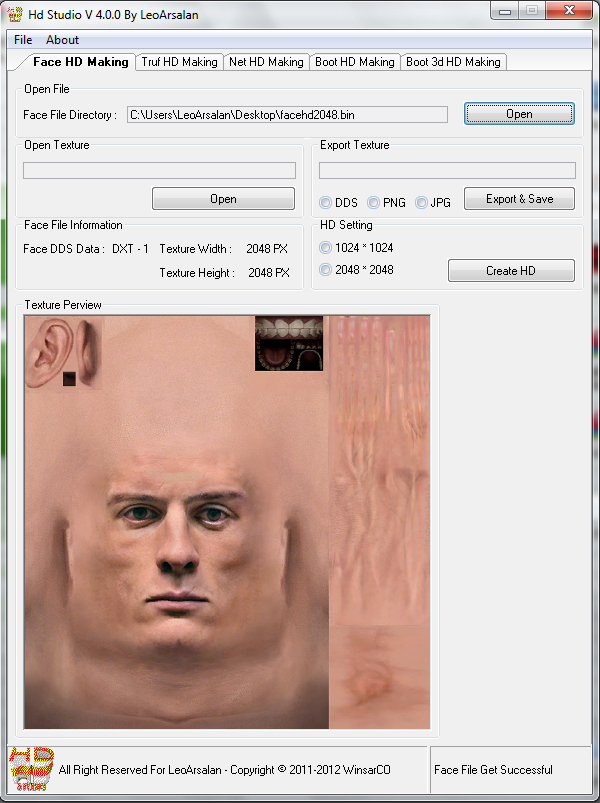
 All Option Information : The Hd Studio can make the bin file of Face Turf Net Boot Boot 3d * New to hd. Credits : Programmed and Design By LeoArsalan Special Thank's To Mehroo & Saeid S.W.P and Thank's to Mr.Siyamak Tehrani For His Special Logo Design Thank's to Yusnanda for boot 3d hd option idea and michal17widzew for zlib help Hd Studio Public Information The Hd Studio is the tool that programmed and released for first time by LeoArsalan For Pes , in this seires of the hd studio's you can enlarge the texture size of the file's that every version of hd studio have the option of them. what is Enlarge or HD ? the enlarge or hd createion is the option in the pes textural file that enlarge ** in crease ** texture size of the bin file , and the enlarge texture size can create you a high quality texture in game like boot, face, net, truf, etc. if you have any idea and problem with my tool's you can contact me on Yahoo and Msn With : Leo.Arsalan@yahoo.com Face Hd Information : in this version of hd studio you can create your face in hd with to option : 1- 1024*1024 texture size 2- 2048*2048 texture size for 1024*1024 texture you must open your bin file with hd studio then export texture and resize to 1024*1024 then save in dds format with DXT-5 & No Mip Maps for the 2048*2048 texture size this procedure is true but it have a little change , the change is you have to resize the texture to 2048*2048 and with DXT-1 & Generate Mip Map setting . if you have any problem you can use this tutorial Download Tutorial
  Truf Hd Information : In the truf hd making option of hd studio v4.0.0 you done your truf in hd with 4096*2048 texture size and it return you the best quality in game , for this option you must open you turf bin file for program then export texture and resize it to 4096*2048 then save it in dds format with DXT-1 and Generate Mip Maps setting if you have any probel myou can use this video tutorial Download Tutorial
  Net Hd Information : in hd studio v4.0.0 you can create you net file in hd format just you must open the net file and click the hd create
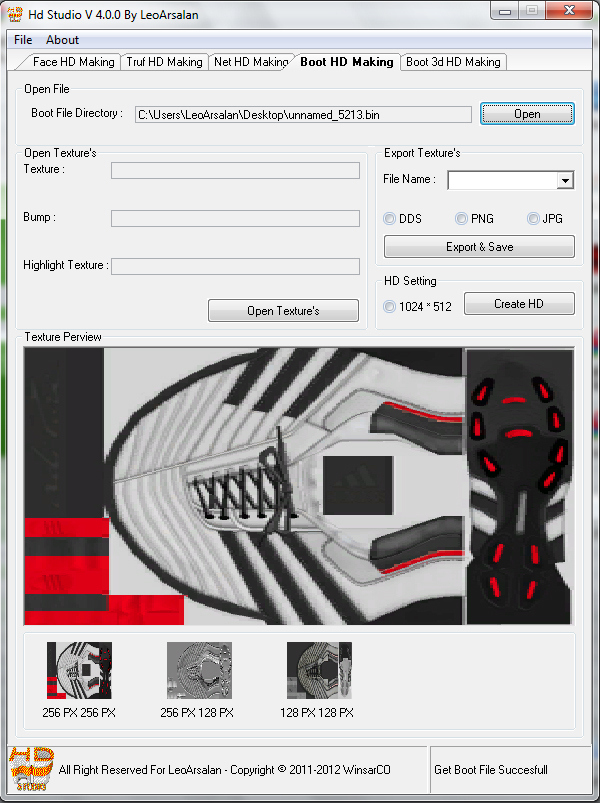
 Boot Hd Information : boot hd creating option of face hd is the option tha you must open you boot file with then export all texture and resize them to 1024*512 then save in dds format with no mip map setting if you have any problem you can use this video tutorial Download Tutorial
  Boot3d Hd Information : here is the new option of hd studio seires Boot 3d Hd creating :: in this option you can done your boot perview file in hd for having more quality in the boot perview file's for do that procedure you must open the bin 3d file with hd studio v4.0.0 the export all texture and done same as i do in the bellow tutorial Download Tutorial
Patch PES 2012 coming soon on http://www.pes-patch.com





No comments:
Post a Comment