Showing posts with label PES 2009 Demo. Show all posts

Sunday, October 12, 2008

PES 2009 Demo Tweak 1.1 by juce


Allows you to set

  • match time (5 to 255 min)
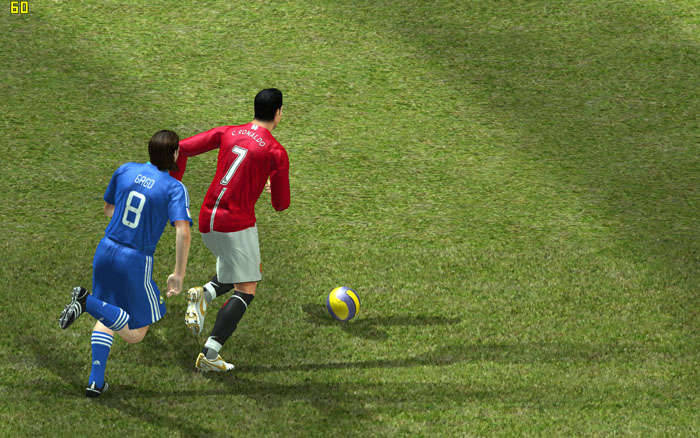
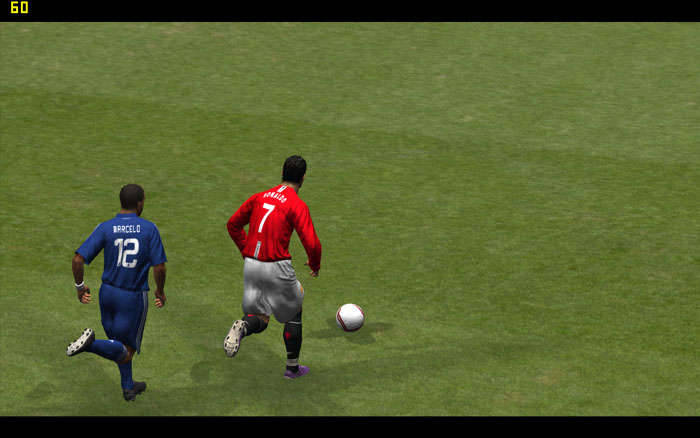
  • camera angle (0-9)
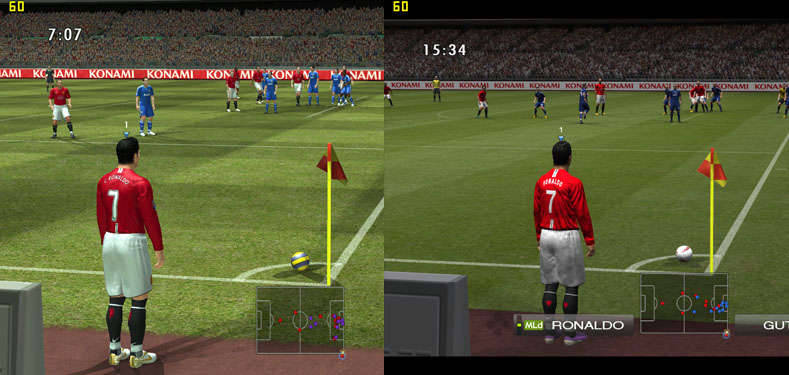
  • aspect ratio
Enables Penalty Shootout

How to use the aspect ratio:
So, for instance, if you monitor is 16:10, then run settings.exe, uncheck 'LB', then run demoTweak2009, set the aspect ratio to 1.6, click 'Save', and now start the game. There will be no black bars, and during the match you will still have correct aspect ratio.

Download
Mirror

Monday, October 6, 2008

PES 2009 Demo: Be A Pro Trick

By 89JayJay

Here I found out a way for those who don't know how to get a "Be A Pro" type of play.

Video: YouTube - PES 2009 DEMO: BE A PRO (SORT OF)

Instructions:
1) When on Home or Away screen press "X"
2) "Change Cursor - Assisted", "Select Player - On"
3) After choosing your team and doing substitutions "Match Start"
4) now choose the one player you want to be and "Confirm"
5) When in-game change the camera to "Vertical" and "Player"

UPDATE:

1. Try selecting two players , one attacker and one defender , this also works.

2. Call a pass = R2


Friday, October 3, 2008

PES 2009 Demo Patch 1.0

PES 2009 Demo Patch 1.0:

Newest version of AFS Explorer
Chants Pack by Tommsen
CL Balls
Demo Tweak Tool
Position images updated
Settings Files - unlock not allowed resolutions 4:3, 16:9
Readme files

Download

Mirror

Pro Evolution Soccer 2009 Demo Tweak

Version 1.0.

HOW TO USE
---------------
Run demoTweak2009.exe, select your game executable, then you will be able
to alter two settings:

1. Camera angle
~~~~~~~~~~~~~~~
You can select a value from the drop-down list (0-9), or you can enter
any number you want between 0 and 2^32-1. The bigger the value, the more
camera turns when following the ball, as opposed to rolling alongside the
pitch. This helps to achieve nice "TV-broadcasting"-type views.

2. Match time
~~~~~~~~~~~~~
You can select a value from the drop-down list, or you can enter any number
you want between 5 and 255.


When done making changes, press "Save" button, then close demoTweak2009.
Now start the game as usual. When you get to the setting screens, the menu
will still say "5 min.", but don't believe that :) When the match starts,
you will notice that the clock runs slower, and the match will take
whatever number of minutes you specified with the demoTweak2009.


Enjoy! juce.


Download

Thursday, October 2, 2008

PS3 Demo Released

Has been released on PSN... go to download :)

PES 2009 PC Demo impression


I like PES 2008 more.

In PES 2009 there are bad changes in gameplay, seems now to be unfortunally like FIFA in gameplay...

- gameplay is changed, i can see that. The way player turn instantly to the left or right is not real. Is bad...
- the referee whistle is irritating.
- gamepad is changed, stupid. now trick to turn around is not working. is a pass now.
- when you score a goal, well, the ball is going out the net and enter the field... is not so cool... not realistic again. The ball is staying in the net if is coming behind the sand bags.
- nothing changed when the ball is out. You cannot still be close to the other...
- better graphic? I do not think so. Ugly stadium in demo. And no support for higher resolutions, no 1680x1050 or more.
- scoreboard is changed. Time in the left, and Teams on the right of the screen.
- I bet that lag will be again online, because I see sometimes a strange speed in game.
- when player run faster is not as fast in pes 2008... Is much slower.
- good thing is that player get up fast when he goes down, intercepted, faulted...

Anyway after a few hours of playing I started to like it... again :)

Anything to say? Write a comment.